
Send & cast
How to Send Files From Your Phone to Android TV
To send files to Android TV from your phone, use a send-files-to-TV app over your own Wi-Fi: no cable, no USB stick, no cloud account. Install SATV on the Android phone and on the TV, open it on the TV, pick your photos, videos, PDFs or other files on the phone and send. They land in the TV's Download folder and stay there. The same transfer can send an app or APK and install it on the TV.
On this page
USB stick, cloud or Wi-Fi: the best way to transfer files to Android TV
| Method | Problem |
|---|---|
| USB stick | Works, but you have to get up, and many boxes have only one free port |
| Cloud drive | Upload then download the same file twice, needs an account, and a 4 GB video is painful |
| Bluetooth | Far too slow for video, and many TV boxes will not accept file transfers at all |
| Cast / mirroring | Plays the file but does not leave a copy on the TV |
| Direct over Wi-Fi (an app on both sides) | Fast, no account, the file stays on the device |
How to transfer files to Android TV from your phone
- Install the app on both devices. Install SATV on the phone from Google Play, and on the TV from the TV's Play Store. On Fire TV, which has no Google Play, set up the TV half once as described in how to sideload a Fire TV Stick.
- Put both on the same Wi-Fi. Same network, ideally the same band. A TV box on Ethernet is fine as long as it is behind the same router.
- Open SATV on the TV. It shows the TV's name and address and waits for files.
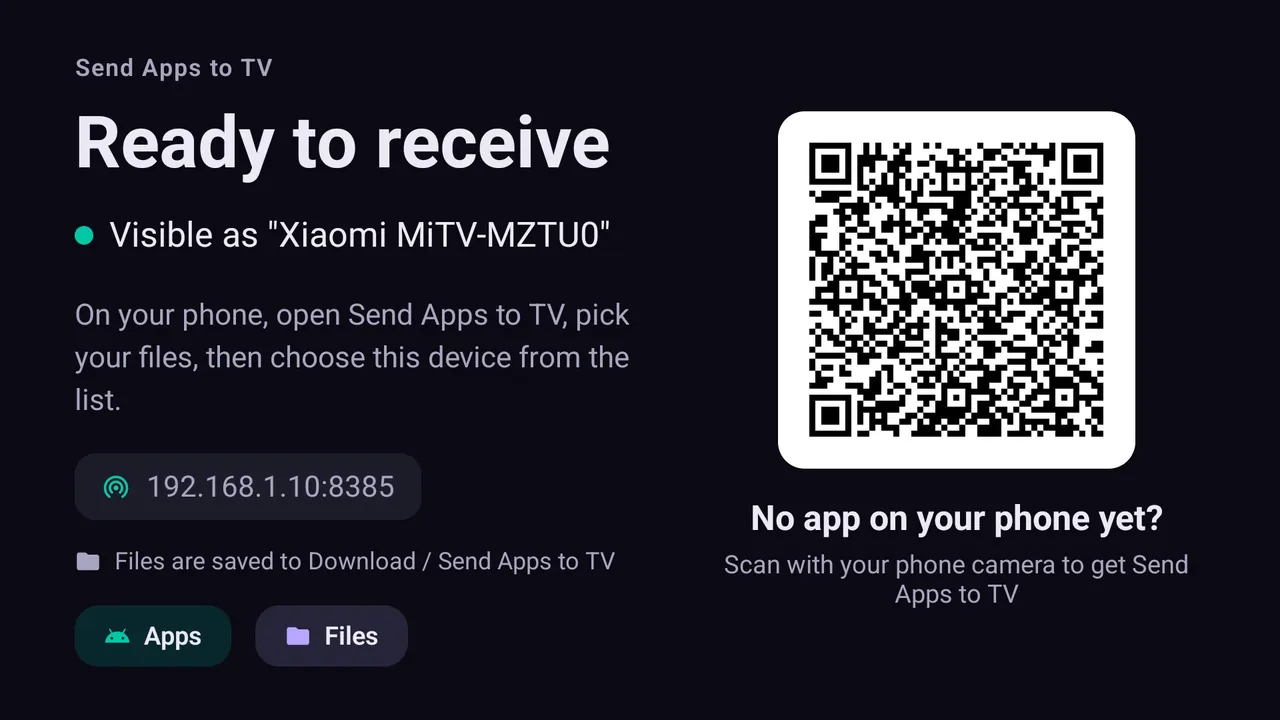
The TV ready to receive. Xiaomi Mi TV, Android TV 14. - On the phone, pick your files. Photos and videos through Android's own picker, PDFs and anything else through the file picker.
- Choose the TV and send. Accept on the TV with the remote. Transfers keep running while the app is in the background.
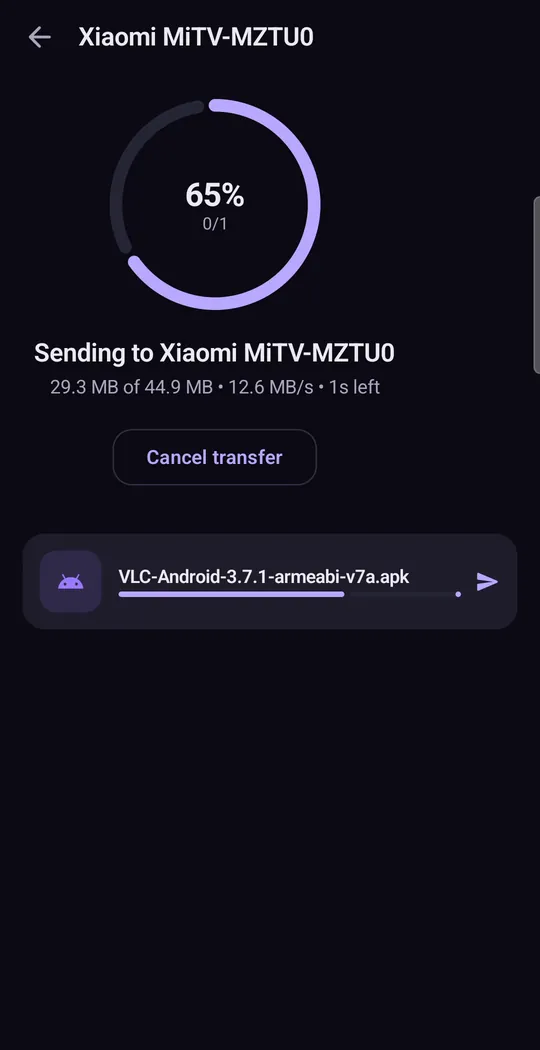
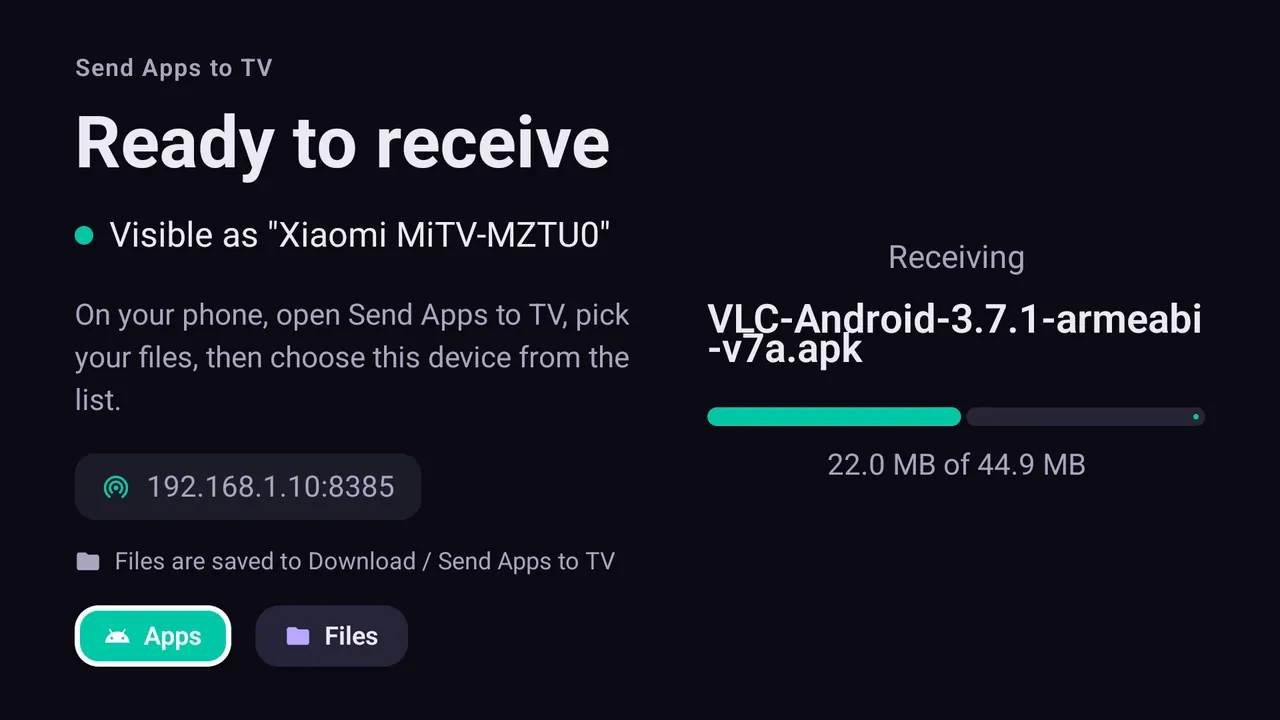
Where the files end up on the TV
In the TV's Download folder, in a folder named after the app. Any file manager on the TV will open them (X-plore is a popular remote-friendly one), and they stay there after the app is closed, unlike casting, which only plays them. Photos and videos open in any gallery or media player such as VLC; PDFs need a PDF viewer on the TV.
Send files to a Firestick or Google TV
The steps are the same on every Android-based TV. Google TV and Chromecast with Google TV get SATV from the TV's Play Store. A Fire TV Stick needs the one-time setup from your phone, after which it receives files like any other TV. Fire TV models running Vega OS (such as the Fire TV Stick 4K Select) cannot install the receiving app.
Sending an app rather than a file
The same transfer sends an installable app. Pick an app already on your phone, or an APK, APKS, XAPK or APKM file, and the TV installs it using Android's own installer, split APKs included. See how to install APK on Android TV for the full walkthrough, and the XAPK guide for bundles.
Send files to TV not working?
- The TV does not appear: the phone on 5 GHz and the TV on 2.4 GHz, or on a guest network, is the most common cause by far. Put both on the main network.
- AP isolation (also called client isolation) on the router hides devices from each other. Turn it off.
- The app is not open on the TV: open SATV on the TV before sending.
- VPN on the phone: some VPNs block local network traffic. Pause it while you send.
- The transfer stops: check free storage on the TV under Settings → Device Preferences → Storage; big videos need room.
- Still stuck? Work through the network checklist.
Can I send files from an iPhone to Android TV?
Not with SATV. The sending app is Android-only and is available on Google Play, not the App Store. From an iPhone, the options are a cloud drive, a USB stick, or casting with an app that supports your TV. The TV side does not matter here: the limit is the phone.
What about from a PC or Mac?
SATV is a phone app, so it does not run on a computer. To transfer files to Android TV from a PC, a USB stick or a shared network folder opened with a file manager on the TV are the usual routes. For apps, see installing an APK from USB.
On a TV without Android
If your television is a Samsung, LG, Hisense VIDAA or Roku TV, it cannot install the receiving app or keep files from a phone, but it can still play your photos, video and music over DLNA. See what works on Samsung, LG and Roku TVs, and the casting guides for Hisense and TCL.
Questions people ask
What is the best app to send files to TV?
One that works on your local Wi-Fi without an account, has no size limit and leaves the file on the TV. SATV does that and also installs apps and split APKs on the TV.
How do I transfer files from my phone to Android TV without USB?
Install SATV on the phone and the TV, connect both to the same Wi-Fi, pick the files on the phone and send. Accept on the TV and the files are saved in its Download folder.
Can I send files to a Firestick?
Yes, on Fire TV devices running Fire OS. Install SATV's TV half on the Fire TV once from your phone, then send files the same way.
Is there a file size limit?
No. A 4 GB video moves as easily as a photo, as long as the TV has the free space.
Why is send files to TV not working?
Usually the phone and TV are on different networks or bands, or the router isolates devices. Put both on the same main Wi-Fi and open the app on the TV first.
Can I send files from an iPhone?
No. SATV runs on Android phones only. The TV side works on Android TV, Google TV and Fire TV with Fire OS.
Do the files go through the internet?
No. Files move directly between your phone and TV on your local network. Nothing is uploaded to a server.